
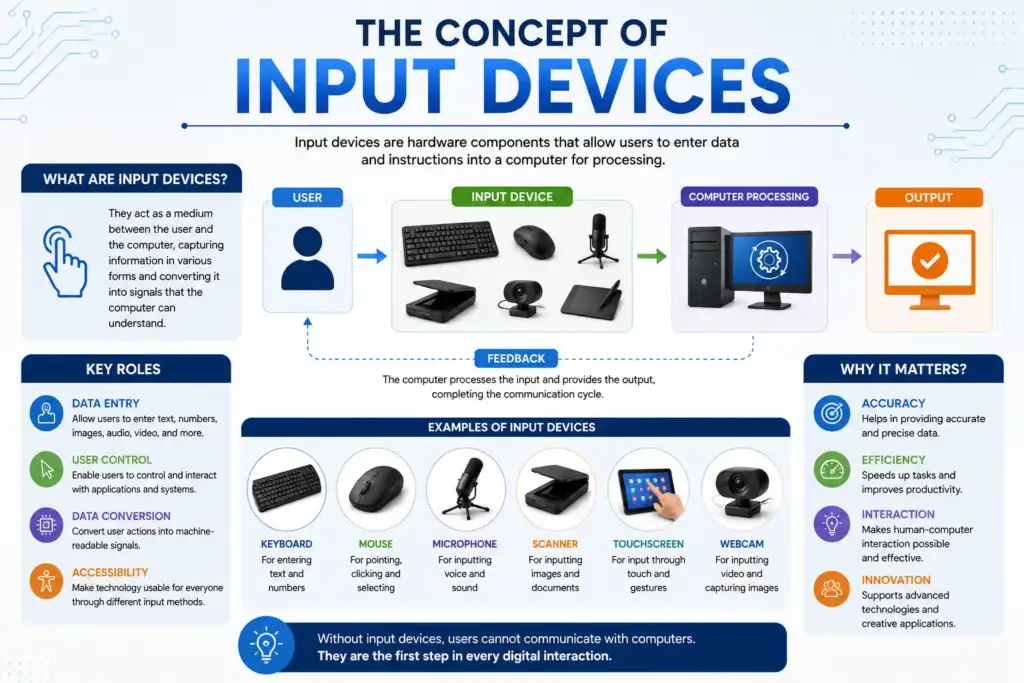
An input device is a hardware component that lets individuals enter data, commands or signals into the computer so that the computer can process them.
Keyboards
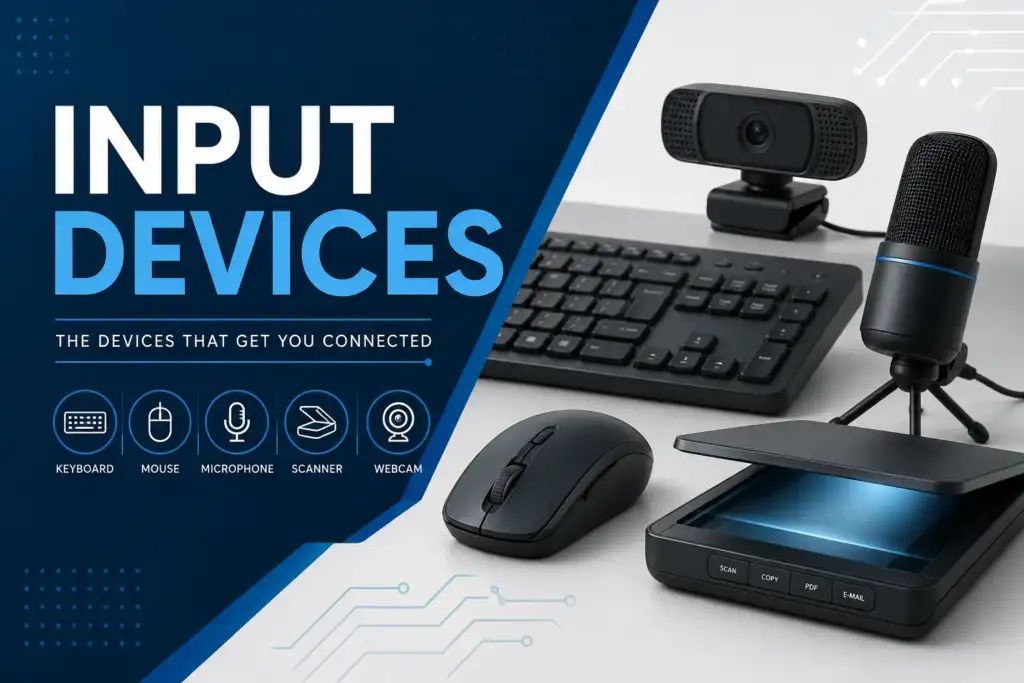
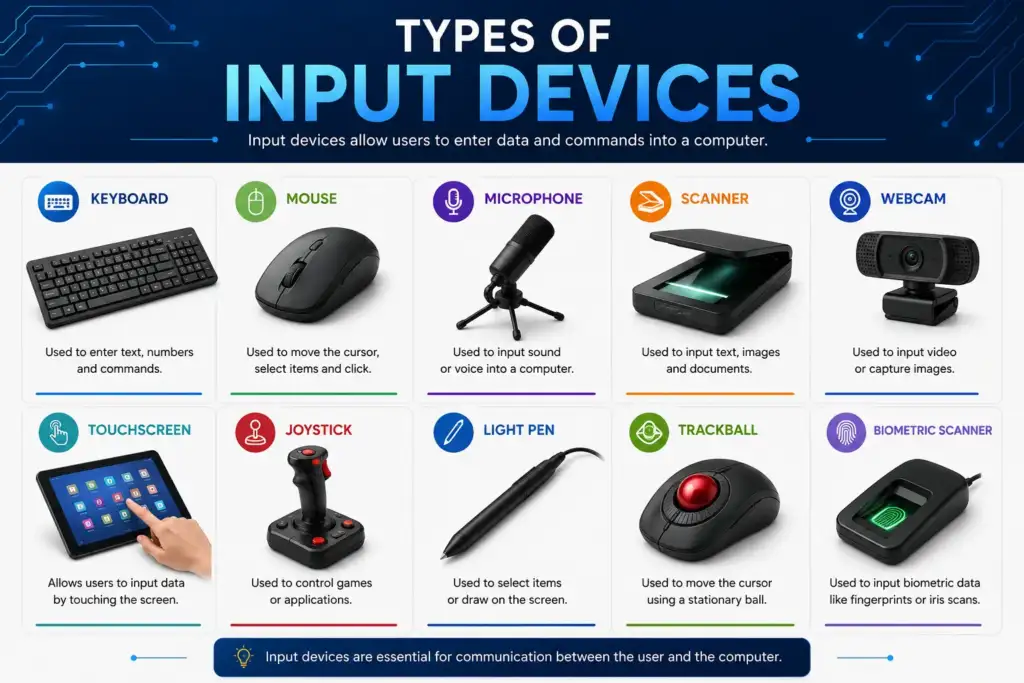
Keyboards are the most common input device that has two different printable characters on each key. Users use keyboards to enter text, numbers and commands into the computer.
How Keyboards Work: Each key functions as a switch; pressing down on the key closes an electrical circuit and the result is that the keyboard sends an electrical signal to the CPU (Central Processing Unit) in the computer. This signal represents the key that has just been pressed. Each character on a keyboard uses an ASCII (American Standard Code for Information Interchange) code or a Unicode code to represent it.
Different Types of Keyboards
- Membrane Keyboards have pressure pads that lie under a thin flexible membrane. They are relatively inexpensive to produce, quiet when pressed and used mostly in offices
- Mechanical Keyboards have individual, mechanical switches for each key which provide tactile feedback when pressed and are durable; these are typically the preferred keyboard type of gamers
- Chiclet/Scissor Switch Keyboards have flat keys and possess a scissor switch-like mechanism, these types of keyboards can be found in laptop systemErgonomic Keyboards have a split design or curves to lessen strain on wrist while using them.
- Wireless/Bluetooth Keyboards connect via radio frequency (RF) or Bluetooth to the computer without having to have a physical connection (cable)
- Virtual/Projected Keyboards project an image onto a flat surface (laser image) and use special sensors to detect the position of the user’s fingers on the projected keyboard.
- Gaming Keyboards typically contain mechanical switches, have RGB lighting built into the keyboard, contain macro keys and contain Anti-Ghosting Technology.
Terminals
Terminals are devices that allow users to interact with a remote computer (host/mainframe) via I/O operations.
- The dumb terminal does not have its own processing capability – it just acts as an I/O connection to the remote computer. All processing is done by the host computer (not by the terminal).The dumb terminal is an old technology and is generally very affordable and easy to maintain, but if the host computer goes down – the dumb terminal will not work.Dumb terminals were used with early IBM terminals and mainframes.
- Smart terminals have limited processing capabilities through microprocessors and some memory. They can carry out some basic tasks on their own, such as performing simple input validation or editing (without needing to send every keystroke back to the host for processing). This means that smart terminals offload some of the processing burden from the host.
An early example of a smart terminal was the IBM 3270 terminal.The advantages of a smart terminal are that you get faster response times from the terminal to the user and you reduce the amount of data traffic on your network.Intelligent terminals look and function like a fully functional computer. They contain a CPU, memory, a disk drive, and an operating system. They can work standalone or networked with other computers.On an example of an intelligent terminal, think of a PC that functions at a client site in a client-server architecture.The advantages of intelligent terminals are that they can do all processing locally, are versatile, and are multi-functional.
Specialized input devices
Dedicated data entry devices are designed specifically for professional settings with a high volume of data entry.
- A point of sale (POS) terminal (used by retailers) is a combination of a barcode scanner, keyboard, and display to take in payment for items purchased from stores.
- An ATMs (automated teller machine); like the POS, serve as a dedicated banking terminal designed to handle all ATM-related banking transactions.
- A barcode reader/scanner scans printed barcodes using either laser or LED lighting and is commonly used in warehousing, retailing, and in libraries.
- A MICR (magnetic ink character recognition) device scans for characters that have been printed with special magnetic ink (i.e., the characters on a check) and banking document.
- OMR (optical mark recognition) recognizes marks made by either a pencil or ink in predetermined locations (i.e., multiple choice answer sheets or evaluation surveys).
- An OCR (optical character recognition) device reads printed or handwritten text utilizing image analysis to convert it into digital text. Data loggers automatically gather and record environmental variables such as temperature or pressure, etc., over a period of time; and are utilized in both science and industrial environments.
Source data automation (SDA)
Source data automation (SDA) is a form of data entry that involves capturing data at the point-of-origin, and doing so automatically, with no or little human intervention; thereby, reducing errors while simultaneously expediting the processing of that data.
When collecting data, source data automation captures the data directly from the source; eliminates the need for rekeying; increases the pace of data entry; and reduces human error.
Some types of commonly used SDA technology are Laser Barcode Scanners, which utilize lasers to read alternatingly colored barcode lines (called “bars”) for inventory and retail; Camera-Based QR Code Scanners, which utilize cameras to scan 2D matrix style QR codes for payment processing and authentication; RFID (Radio Frequency Identification) Tag Scanners that utilize radio waves to read tags affixed to products such as clothing or food items for supply chain delivery and access control purposes; Biometric (Fingerprint, Iris and Facial Recognition) Scanning Devices that capture user biometric data for identifying individuals for security, identification and/or attendance purposes; Magnetic Stripe Card Readers that read a card’s magnetic stripe to obtain payment information when paying with credit or debit card; and Biometric Card Readers (Smartcards) that read an embedded microchip in a Smartcard to obtain payment or ID verification information; and Sensors and IOT (Internet of Things) Devices which automatically gather and communicate physical (e.g., temperature, humidity, wind speed) and environmental (e.g., barometric Pressure, rainfall) for Weather Stations and Smart Homes and Buildings.
Pointing Devices
Pointing devices enable interaction with elements on a computer screen by controlling a cursor/pointer on the screen.
- The mouse is by far the most commonly-used pointing device. A mouse operates through an optical/laser sensor that tracks movement of the mouse over a flat, or at least relatively flat, surface.
- A trackball is a stationary ball that is rotated with the fingers or thumb; a trackball is useful when there is limited desk space.
- A touchpad or trackpad is a flat surface containing a sensor that detects the movement of your fingers, and is a standard input device on laptops.
- A light pen is a pen-like device that detects the light emitted by a CRT monitor screen, and is an older technology for inputting data.
- A joystick is a lever that pivots in every direction, and has been used in gaming systems as well as in aviation simulators. A graphics tablet (also referred to as a digitizer) is a flat surface on which you can draw using a stylus; this is very useful for artists and designers due to the accuracy of the input.
- A touchscreen is a monitor that provides input when a finger touches it, using capacitive or resistive technology.
- A gesture controller detects the motion of your hand or body, which is exemplified by Microsoft’s Kinect or Leap Motion devices.
Voice Input Devices
With voice input, users can control or enter data into computers using speech as input. Key components of voice input systems include: A microphone to capture audio signals; a sound card or analog-to-digital converter (ADC) to convert analog audio signals into digital data; and speech recognition software to analyze the waveform and compare the phonemes making up words in the waveform to a dictionary of words in the speech recognition software.h
Two types of speech recognition are available.
- Discrete speech recognition requires users to pause between every word they say; this type of speech recognition was used with older systems.
- Continuous speech recognition recognizes natural, continuous stream of speech in real-time; continuous speech recognition is available with modern-day systems such as Google speech, Apple Siri and Microsoft Cortana. Speaker-dependent systems are trained to recognize only the speaker’s voice; therefore they provide a higher level of accuracy when recognizing the user’s commands.
Speaker-independent systems (also known as General Purpose Systems) do not require training; they will recognize any voice and are most often used in phone IVR systems.
Voice input devices have numerous applications. Examples include; virtual assistants (Siri, Alexa, Google Assistant), dictation software (Dragon Naturally Speaking), voice commands for accessibility technologies (i.e., computer control), and medical transcription.