

A Computer-Based Information System (CBIS) – is a set of integrated components working together to create information for using to make decisions/coordinate/control/examine & visualize within an organization. Components of a CBIS include hardware, software data, procedures and people’s interaction with those components to produce meaning from the data.
Organizations today rely heavily on their ability to leverage CBISs to enable their day-to-day operations, enhance productivity and retain a competitive edge against their competition in today’s digital world.
CBIS Core Components
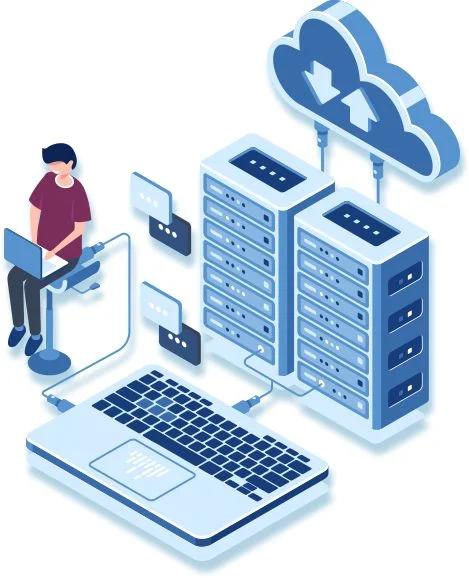
A CBIS consists of five major components, as listed below:
Hardware
Physical pieces of equipment that allow users to input, process, store and output data.
- Examples: Desktop PCs, Servers, Printers, Scanners, Routers, Storage Devices (HDD’s, SSD’s), and Mobile Devices.
Software
Programs that instruct hardware on how to process data.
- System Software (e.g., Windows, Linux, macOS) and Application Software (e.g., Excel, SAP, QuickBooks).
Data
Raw facts and figures are processed to create valuable information.Stored in Databases and/or Data Warehouses.
- Examples: Customer Records, Sales History, Inventory Level.
Procedures
Policies, Guidelines, and/or Rules that define how the System will be implemented and maintained.
- Examples : User manuals, Security Protocols, Backup routines, and Procedures for performing Operations.
People
Users and specialists who interact with the system. The people involved in this are the end-users the system analysts, the database administrators, the IT managers and the software developers.
Some computer models also include **networks and communication media** as a part especially in systems that are spread out over different locations and where data moves back and forth via the internet or a companys own network.
Types of Computer-Based Information Systems
Computer Based Information Systems can be grouped in ways based on the level of the organization and the purpose of the Computer Based Information Systems.
1. Transaction Processing Systems (TPS)
The main computer system in a company is used for handling business transactions. This system is called a Transaction Processing System. It is a computer system that does a basic things. It captures information sorts it out stores it keeps it up to date and retrieves it when needed. This is done so that the company can keep records and use the information in systems.
Transaction Processing Systems help make business tasks better. These tasks are what every company needs to do to function. A transaction is anything that happens in a company that has an impact on the organization. This includes things, like sales and purchases which’re all types of transactions. When you think about it companies do a lot of things like placing orders and billing customers. They also have to hire employees and deposit cheques. These are a few examples of the common transactions that happen. The types of transactions that happen can be really different from one organization to another like the transactions that happen at a store are not the same as the transactions that happen at a bank and the transactions that happen at a bank are not the same, as the transactions that happen at a restaurant and so on because each organization has its transactions, including placing orders and billing customers and hiring employees and depositing cheques.
This is true all organizations do process transactions every day as a part of what they do. The organizations that do really well they do this work of processing transactions in an organized way.Transaction processing systems are good because they are fast and accurate. They can also be programmed to follow routines every time without doing anything. This is what makes transaction processing systems so useful, for organizations and their daily transaction processing.
Purpose: Handle day-to-day routine transactions.
Users: Operational staff.
Example: Point-of-Sale (POS) systems in retail stores, ATM transactions, payroll processing.
Output: Sales receipts, bank statements, inventory updates.
2. Management Information Systems (MIS)
Computers are really good at processing data for a reasons. One big reason is that they can handle an amount of data about accounts and other things very quickly.
In the past most computer programs were used to keep records and automate routine office work.Nowadays people are paying attention to using computers to help make big decisions plan things and control what is going on. Management Information Systems are mainly, about helping with management tasks like planning and control which’s a big part of what Management Information Systems do. A Management Information System or MIS is basically a system that helps people in charge make decisions. It does this by giving them the information they need to run a business. The people in charge need information that’s important to them and they need it at the right time. This information has to be correct. It has to have all the details they need. It also has to be easy to understand and not cost much. A Management Information System provides all this information to the people, in charge so they can make choices for the business
Purpose: Provide structured reports for middle management to monitor and control operations.
Users: Middle managers.
-Example: Monthly sales reports, production summaries, budget variance analysis.
Output: Scheduled reports (daily, weekly, monthly).
3. Decision Support Systems (DSS)
This system provides information that you do not expect to need every day. Business people may only need this information one time. These systems do not give you reports on a schedule.
They are made to answer different kinds of questions. Not all decisions are made every day. Decision support systems help managers make decisions that’re not always easy to make. These decisions are called semi-structured decisions because they are not always the same. Decision support systems are very helpful for these kinds of decisions. Decision support systems are good, for managers who have to make decisions that are not the same every time. When we make a decision it is considered unstructured if we do not have a plan for making that decision. This happens when we are not sure what factors to consider when making the decision. In this case the managers opinion is very important for making the decision because the problem is not straightforward. The decision support system is a tool that helps the manager make a decision. It does not make the decision for the manager. The decision support system supports the managers judgement. The manager is still responsible for making the final decision. The managers judgement plays a role, in decision making when the problem is not structured.
Purpose: Assist in semi-structured or unstructured decision-making using analytical models and data.
Users: Senior managers and analysts.
Example: Forecasting sales trends, evaluating investment options, “what-if” analysis.
Tools: Data mining, simulation models, interactive dashboards.
4. Executive Support Systems (ESS) / Executive Information Systems (EIS)
Executive Support Systems, which people also call Executive Information Systems are computer systems for top managers. These systems give them a way to look at important information from inside and outside the company. This helps top managers make decisions about the company. They can see how the company is doing and make plans for the future. Executive Support Systems are not really used for tasks but for looking at the company as a whole and figuring out how to make it better. Executive Support Systems are good for checking the health of the business and seeing how well it is performing. They are also useful for making term plans, for Executive Support Systems and the company. They provide a high-level view with drill-down capabilities, filtering vast amounts of data into actionable insights for strategic control, environmental scanning, and crisis management, integrating company-wide information with competitor and market data.
Purpose: Provide high-level overviews and strategic insights for top executives.
Users: CEOs, CFOs, board members.
Features: Graphical interfaces, drill-down capabilities, external data integration (e.g., market trends).
Example: Dashboard showing company performance vs. competitors.
5. Expert Systems (ES)
In artificial intelligence (AI), an Expert System is a computer system emulating the decision-making ability of a human expert. Expert systems are designed to solve complex problems by reasoning through bodies of knowledge, represented mainly as if–then rules rather than through conventional procedural programming code. Expert systems were among the first truly successful forms of AI software. They were created in the 1970s and then proliferated in the 1980s, being then widely regarded as the future of AI — before the advent of successful artificial neural networks. An expert system is divided into two subsystems:
1) a knowledge base, which represents facts and rules
2) an inference engine, which applies the rules to the known facts to deduce new facts, and can include explaining and debugging abilities
Purpose: Mimic human expertise in a specific domain using rule-based reasoning.
Users: Professionals needing specialized advice.
Example: Medical diagnosis systems, technical troubleshooting tools.
6. Enterprise Resource Planning (ERP) Systems
An ERP (Enterprise Resource Planning) system is integrated business management software that centralizes and automates core processes like finance, HR, manufacturing, and supply chain, providing a single source of truth for real-time data, improving efficiency, and supporting better decision-making across an organization. These systems manage everything from accounting and sales to procurement and inventory, acting as a central hub for data flow between different departments, whether on-premise, cloud-based, or hybrid.
Enterprise resource planning, which is also known as ERP is a way to manage the things a business does. This is often done in time with the help of software and technology. People usually think of ERP as a type of software that helps manage a business. It is like a set of tools that work together to help a company keep track of information and make sense of it. This information comes from different things the business does. ERP systems can be on a computer, at the business. They can be online which is called cloud-based. Cloud-based applications have really taken off since the 2010s. This is because people can get to the information they need from with Internet access. It is very helpful.
Enterprise Resource Planning or ERP for short is different from business management systems. ERP is, about planning for everything a company will need to meet its goals. This means making plans to get the staff and the ability to make things for future needs. ERP includes planning for all the things a company will need to be successful.Enterprise Resource Planning or ERP gives us a complete and up to date picture of the things our business does. It does this by using a database that lots of people can access. This database is looked after by a system.
ERP systems keep an eye on the things that’re important to our business like how much money we have the materials we need to make things and how much we can produce. They also keep track of the promises we make to our customers like orders and payments to our staff.The different parts of the ERP system share information with each other across all the departments in our company like the people who make things the people who buy things the sales team and the accounting team.ERP helps information move freely around our business. It also helps us work with people, outside our company like our customers and suppliers.
Purpose: Integrate all departments and functions across an organization into a single system.
Modules: Finance, HR, supply chain, manufacturing, CRM.
Example: SAP S/4HANA, Oracle ERP Cloud, Microsoft Dynamics 365.
7. Customer Relationship Management (CRM) Systems
Customer Relationship Management software is used by companies and industries of all sizes. It helps companies that need to keep an eye on what their customers are doing and share that information with different parts of the company. Customer Relationship Management software also helps companies that have to get a lot done with limited resources and new companies that want to work quickly and efficiently. No matter what kind of company you have or even if you are a -profit organization if you talk to customers and your employees need information, about those customers a Customer Relationship Management system can be very useful.
Your company can really gain from using customer relationship management software. It can help lots of departments like the sales team, the service team, the IT team and the marketing team. You can start using it in a way or just try it out with a small group. It is easier to get started than you think.Doing business these days is very complicated. Most companies use around 1,000 computer programs but only a small number of these programs actually work together properly. Customer relationship management software is one of them. It can make a difference, to your company no matter which department uses it whether it is the sales department, the service department, the IT department or the marketing department.To stay ahead your company needs to focus on the customers and have the technology to help it. Getting information that you can trust and use to make decisions can be really tough.
Purpose: Manage interactions with current and potential customers.
Functions: Sales tracking, marketing automation, customer service.
Example: Salesforce, HubSpot, Zoho CRM.
8. Office Automation Systems
Office automation systems are really new. They are growing very fast. They are computer based information systems. The people who make them think that they will help office workers, like typists and secretaries do their jobs better and faster. These office workers include assistants and staff professionals and also managers.
Many places have started to automate their offices. The first thing they do is use word processing equipment. This equipment helps with typing and storing and revising and printing things that are written. Office automation systems are meant to increase the efficiency and productivity of office workers like typists and secretaries and administrative assistants and staff professionals and managers. Another development is a computer based communications system such as electronic mail which allows people to communicate in an electronic mode through computer terminals. An office automation system can be described as a multi-function, integrated computer based system that allows many office activities to be performed in an electronic mode.
Uses and Applications of CBIS
Computer Based Information Systems are used in every type of business. CBIS is really common in all sorts of industries. You can find CBIS in different fields and it is used by many companies. CBIS is helpful, to people and it is used every day in many places. CBIS is very useful. It is used across virtually every industry.
Business: Inventory management, financial accounting, e-commerce platforms.
Healthcare: Electronic Health Records (EHR), patient scheduling, diagnostic support.
Education: Learning Management Systems (LMS) like Moodle or Google Classroom.
Banking: Online banking, fraud detection, loan processing.
Government: Tax filing systems, public records, e-governance portals.
Manufacturing: Production planning, quality control, supply chain logistics.
Benefits of CBIS
1. Efficiency: Automates repetitive tasks, reducing manual effort.
2. Accuracy: Minimizes human errors in data processing.
3. Speed: Processes large volumes of data rapidly.
4. Decision-Making: The information that Decision-Making provides is very helpful because it is given on time and it is relevant. This helps people make Decision-Making decisions when they need to.
5. Storage & Retrieval: Enables massive data storage with instant access.
6. Communication: This is really important for our team because it helps people work together at the time no matter what department they are in or where they are in the world. The Communication system makes it easy for everyone to share ideas and work on projects together in time which is a big plus, for our Communication.
7. Competitive Advantage: Supports innovation and responsiveness to market changes.
Challenges and Limitations
High Initial Cost: Implementation and maintenance can be expensive.
Security Risks: Vulnerable to cyberattacks, data breaches, and unauthorized access.
Dependence, on Technology: If the system fails then the whole operation comes to a standstill. This is because Technology plays a role and we rely on Technology so much that we cannot do anything without it. So when Technology fails everything else fails too.
Skill Gaps: Requires trained personnel to operate and manage.
Data Quality Issues: If you put information in you will get bad information out. This is a problem because poor data that you start with will always lead to results that are not trustworthy. The old saying “garbage in garbage, out” is really true when it comes to Data Quality Issues.
Real-World Examples
Amazon’s CBIS Infrastructure :Amazon uses a computer system that does a lot of things. This system includes:
TPS: Processes millions of orders daily.
MIS: Tracks warehouse efficiency and delivery times.
DSS: Recommends products using AI and customer behavior data.
ERP: Manages global supply chain and finance.
CRM: Personalizes user experience and handles customer service.
This environment lets Amazon work well and get a lot of things right which makes customers happy, with Amazon. Amazon is able to do this because of the way Amazon is set up. Amazon can operate on a large scale and still provide good service to customers of Amazon.
Conclusion
A Computer-Based Information System is the backbone of modern organizational operations. By integrating technology with business processes, CBIS transforms raw data into actionable intelligence, driving efficiency, innovation, and strategic growth. As technology evolves—especially with AI, cloud computing, and big data—the role of CBIS will only become more central to organizational success.