

When selecting an application for business purposes or personal use, one must consider how the software will impact his/her business or individual processes and productivity, and how the software can help improve business scale to a good degree. If you do not understand the choices you have for application software, your business cannot grow; in some cases, your business could suffer a decline in productivity and an increase in costs and resource usage because the application software does not fit your needs.

Understanding application software and the available categories of application software will simplify the process of choosing the proper software solution for your needs. The use of ready-made application software products or customized software that have been produced to serve your needs provides the user with more clarity and methods of evaluating their choices of application software.
Application Software
Application software is a type of software that serves a specific purpose. These purposes can be personal, business or educational. For this reason, application software is sometimes referred to as end-user software or productivity software.
Each software program is developed to assist users with the particular process related to productivity, efficiency, and communication. Unlike System Software, Application Software is specific for its functionality and completes the task that they are developed to do. The majority of apps that we see on our smartphones are examples of application software.
Functions of Application Software
Application Software Programs are developed to execute a large variety of roles. The functions are not limited to but depend upon the user’s need. Some of the most common functions of application software are:
- Manipulating data
- Managing information
- Calculating figures
- Constructing visuals
- Coordinating resources
- Writing reports
Description
Manipulating Data: Users can manipulate, edit, modify, sort, and format data using application software.
For example: MS Word allows users to edit text; MS Excel permits users to sort data; and Photoshop lets users edit images.
Managing Information: Users can manage, organize, retrieve, and update large amounts of information using application software.
For example, School Management Software allows schools to maintain student records, MS Access provides businesses with access to customer databases and Hospital Management Systems allow hospitals to maintain patient records.
Calculating Figures: Application software is able to accurately calculate numbers, perform statistical calculations, and reach conclusions based on the calculations.
For example: MS Excel can be used to calculate the total and average of any numerical figures; Payroll Software can be used to calculate the total salary of every employee; and Accounting Software can be used to calculate a company’s budget.
Creating Visuals: Application software is used to create visual displays and representations of data in the form of charts, graphs, presentations, etc.
For example: MS Excel can be used to create various types of charts; PowerPoint is used to create visual presentations to accompany speeches and talks; and Canva can be used to produce attractive posters and flyers.
Coordinating Resources: Application software allows users to coordinate, budget, organize, and manage how resources are used.
For example: Project Management Software will help plan out how resources will be used on a particular project; Inventory Management Software will help keep track of what items need to be ordered, when items should be received, how much each item costs; Calendar Applications will help schedule meetings.
Creating Spreadsheets: Spreadsheets are created with Application Software that allows for the creation of Spreadsheets to manage the data by placing it in Rows and Columns and to perform calculations.
For Example: MS Excel for making a result and budgets Google Sheets for sharing data online Libre office Calc for performing calculations .
Manipulating Images: Image Manipulation software lets you change and modify your images. Resize, Crop, Enhance etc.
For example: Adobe Photoshop for photo manipulation GIMP for Image manipulation Paint for basic drawing .
Keeping Records: Application software is used to keep, and manage Records in a Secure and Organized manner.
For Example: Student or Employee Records, kept in a Database ,Financial Records kept using Accounting .Software Patient Data Records kept using hospital Management Systems.
Creating Websites Application: Software allows you to Create, Design and maintain Websites.
For Example: HTML Editors to create web-pages, Website Builders that allow you to create Websites without coding CMS (Content Management Systems) for managing a Website’s Content
Calculating Expenses: Application Software tracks Income and Expenses.
For Example: Spreadsheet Software keeps track of Expenses Accounting Software tracks Business Expenses Budgeting Apps for tracking Personal Finances.
Examples of Application Software
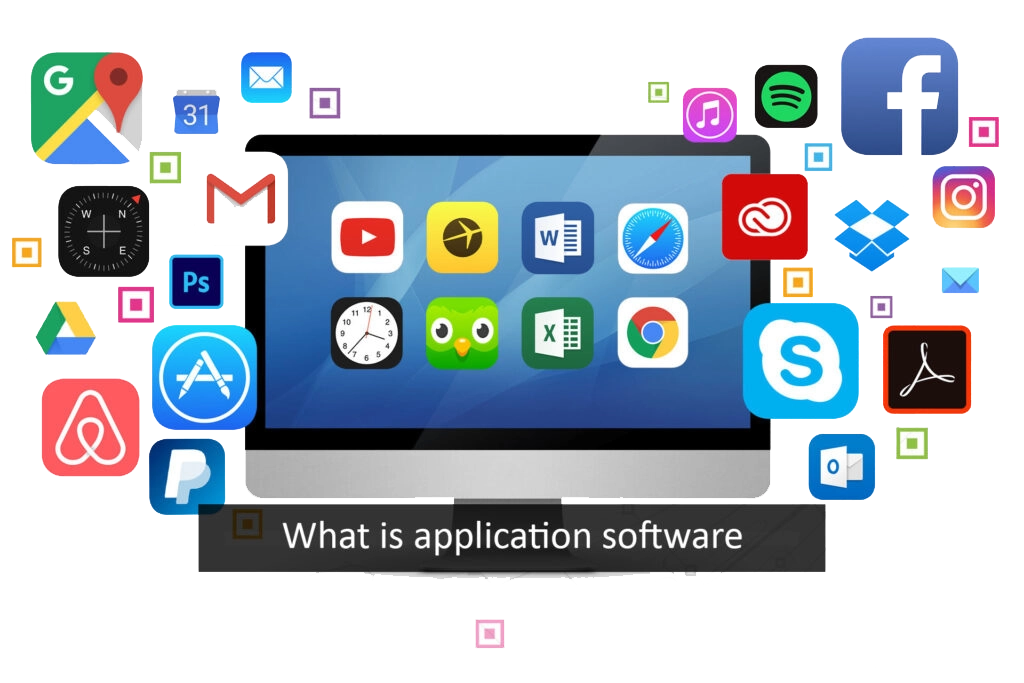
The most common examples of application software are the computer programs that we used in our everyday lives. This application software includes:
- Microsoft products such as Office, PowerPoint, Word, Excel, Outlook, etc.
- Music Application Softwares like Pandora and Spotify
- Skype, Google Meet, and Zoom are examples of applications that are considered real-time online communication software
- Team collaboration software like Slack
- Internet browsers like Chrome, Safari, and Firefox
- Multimedia Software like MX Player and VLC Media Player
Almost every other application programs you use is an example of application software.
Types of Application Software
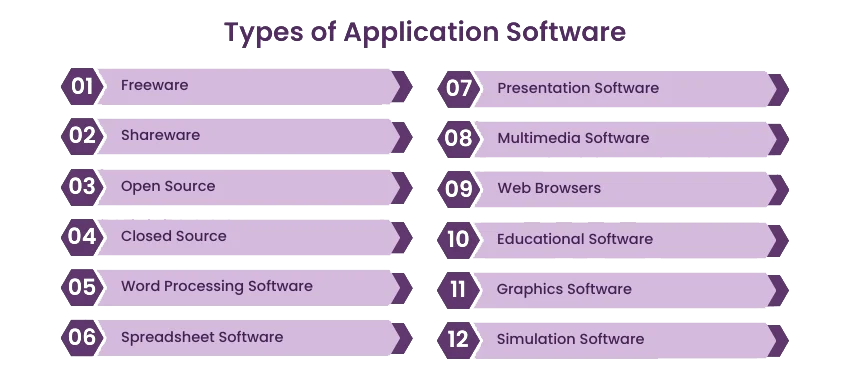
The type of application software you require to use depends upon your needs. Below are examples of applications used on a personal computer or laptop. Here is the list of application software, or you can say application types.
1. Word Processing Software
Word processing software is a routinely used example of computer software to format, beautify, and manipulate text. It allows features such as synonyms and antonyms. You can change the fonts, colors, and style according to your choice with the word art feature. Error checking as well as grammar and spell checking options are also available in it. Microsoft Word is the best example of a word processing software.
2. Spreadsheet Software
Spreadsheet is one of the best examples of software used to store data in table format and perform calculations. Intersecting cells are given in a spreadsheet to keep various data fields such as time, date, text, and numbers. Users can perform calculations with formulas and functions. The best example of spreadsheet software is Microsoft Excel.
3. Presentation Software
Presentation Software lets you put forth your thoughts and ideas in a piece of visual information. Then, you can present that information in the form of slides. You can make your slides interactive and informative by adding videos, texts, charts, graphs, and images. The best example of presentation software is Microsoft PowerPoint.
4. Multimedia Software
Multimedia Software lets you create or record videos, audio, and image files. Such app software is used in video editing, graphics, and animations. Common examples of multimedia software programs are VLC player, MX Player, and Windows Media Player.
5. Web Browsers
These software applications are used to browse on the internet. They let you locate and retrieve data from the web. The most popular examples of web browser software applications are Chrome and Firefox.
6. Educational Software
This are the types of application software also known as academic software as they are particularly designed to facilitate learning. All different kinds of tutorial software are included in it. Examples of educational software are EDX, MindPlay, and Kid Pix.
7. Graphics Software
Graphics Software is used to make changes in visual data, images, and animation. It comprises different editorial software. Popular tools, including those in the Graphic Design Software category listed on SpotSaaS, offer capabilities for editing, creating, and enhancing visuals. Adobe Photoshop, Unity 3d, and PaintShop are examples of graphics software.
8. Freeware
As you can guess from the name, this type of software is available free of cost. Therefore, you can download and install them for free. However, you are not allowed to make any change in its source code. Skype is an example of freeware software programs.
9. Shareware
Such softwares are distributed to the users on a trial basis. Then, if the users like it and want to continue, they have to pay for that software. An example of shareware software is Winzip or Tiiny Host.
10. Simulation Software
Simulation Software is a monitoring program that allows the user to observe an operation without performing it. Such software is useful when the existing system’s work is not highly accurate, predictable, or dangerous. It is used widely in engineering, robotics, flight systems, weather forecast, testing, education, and video gaming. MATLAB is the best example of simulation software.
11. Open Source
Open Source software is available with a source code and rights for anyone to inspect, modify and enhance it. Moreover, most open-source software is available for free, while very few are paid ones at such a conditional level.
12. Closed Source
Closed Source software is one of the types of applications which is precisely the opposite to open-source software. They are paid software and have intellectual property rights or patient over source code. It usually comes with some restrictions as well as terms and conditions
Business Application Software
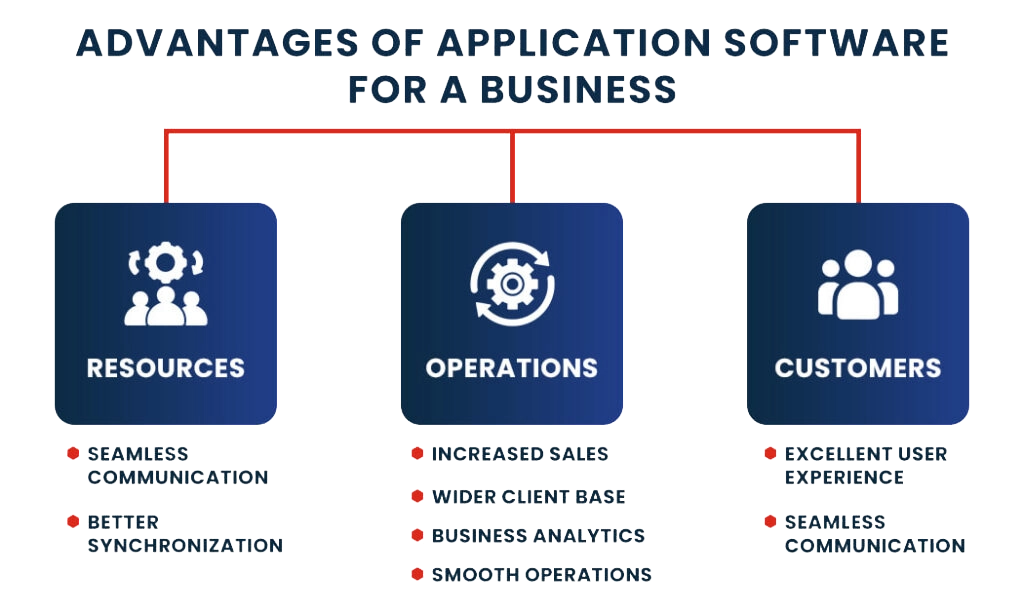
Business application software is the subset of application software that the organization mainly uses for business purposes. This software is specifically developed to facilitate specific business functions. Significant advantages of business application software include improved productivity, efficiency, accuracy, and periodic reports for business analysis. Nowadays, every emerging and fast-growing business organization uses business app software.
Customer Relationship Management (CRM)
Customer Relationship Management Software manages the company’s interaction with its current and potential customers. In addition, it helps in collecting, analyzing and strategizing a large amount of customer data for business growth.
Enterprise Resource Planning (ERP)
Enterprise Resource Planning (ERP) is a software system designed to manage all core activities and business processes within an organization. A fully integrated ERP software suite enhances efficiency by connecting various departments, ensuring seamless data flow across all functions. ERP can automate and simplify business activities such as procurement, accounting, risk management, project management, regulatory compliance, and supply chain management, helping businesses operate more effectively.
Project Management Software
Project Management Software is app software used for project planning, change management, scheduling, and resource allocation which helps in building and maintaining a productive team while assisting the users with functions like managing budget and costs, documenting progress, reporting results, and assigning tasks.
Database
A Database Software also referred to as a Database Management system (DBMS), is designed to create a database and store, search, manipulate, and extract the crucial data of an organization.
Business Process Management
Business Process Management software, also known as BPM software, is a process automation tool. It defines, reports, and automates the processes intended to optimize an organization’s business.
Resource Management Software
Resource Management Software is a type of application software that helps plan resources, capital, and staff for smooth project completion. It also helps in managing multiple projects and ensures that everything is allocated in real-time.
Educational Software
Educational Software refers to the application softwares that are developed for educational purpose. Educational software facilitates the learning and teaching of educational content, concepts, and processes.
Productivity software
Productivity Software help users to do their task more efficiently and on time. Its categories include collaboration, time management, database management, and document creation. These are the applications that organizations use to improve overall productivity.
Custom Developed Software
A custom-developed software is app software built solely for an organization or an individual user according to their business needs. It is one of the most popular and majorly used application software for businesses. It can perform the task you desire and be designed and developed according to your organization’s process. As a result, you can get your custom software to automate, integrate and manage all of your tasks. Custom Software Development is the best solution for organizations that are planning for a long-term business.
Limitations of Application Software
While application software offers a variety of benefits, it also has specific limitations which can significantly impact the price, efficiency, security, and user ability.
Costly to Purchase and Maintain: Application Software Can Be Very Expensive to Purchase and Maintain. Many application software products are priced very high and have a cost associated with them in the form of license or subscription fees.
Example: Microsoft Office and Adobe Photoshop have annual subscription fees associated with them, which would make them a very high-priced product for students, schools, or small businesses.
System Dependency: Application software cannot operate independently; it needs to have an operating system installed on your device and appropriate hardware.
Example: Applications for Android phones will not run on iPhone devices, and Windows applications will not run on computers without Windows installed on them.
Limited Functionality Each Application Software Program Performs Specific Tasks .Each application software product is built for a particular purpose.
Example: MS Word can create documents and letters, but it cannot create financial statements like accounting software.
Compatibility Issues: Compatibility Issues of Application Software With Other Systems and Versions of Operating Systems. There are times when a piece of application software will work only with a particular version of an operating system.
Example: Old versions of video games or applications may not be able to run properly on newer operating systems due to compatibility issues.
Security Risks: Threat can come in many forms (viruses, malicious software, hackers) and can result in stolen data and/or loss of data.
Example: Downloading cracked or unlicensed software, which could introduce viruses that cause harm to your files and/or steal your personal information.
Requires Regular Updates: The need to update APPLICATION software is frequent to repair defects and/or improve data security. Many applications (Zoom, web browsers) need to be updated regularly. These updates may interrupt work and/or use up available Internet bandwidth.
Training and Skill Requirement: APPLICATION utilities that are advanced may require additional training to be used affectively
Example: advanced application utilities will require training and practice before users can be successful in using these applications include professional-grade graphic design tools.
Performance Dependency: APPLICATION software performance is determined by the computer hardware that is running the software.
Example: editing video using video-editing software on computers with less random access memory or older processors will result in poor performance.
Data Loss Risk: Use of APPLICATION software incorrectly, software failure and/or loss of power (electricity) can all lead to loss of important information.
Example: If a student has created a project and fails to save their work before the computer loses power, that project will be lost and the student will need to start over